Translate web pages fluently
Linguist is a flexible browser translator powered by the most popular translation services.
Translate entire web pages, selected text, subtitles on Netflix or in video calls, and private messages. Listen to translations and save important ones to your personal dictionary to learn new words, even offline.
Linguist is a modern, privacy‑first alternative to Google Translate browser extensions. Try it for free.


Features
Offline translation and privacy
Translate text directly on your device with the built‑in offline translator. Your text stays private and is not sent over the internet.
Enable this feature in the options page to keep translations private when working with emails, documents, or personal messages.
The offline translator also allows you to translate pages without an internet connection, which is especially useful while traveling.
Translate entire web pages
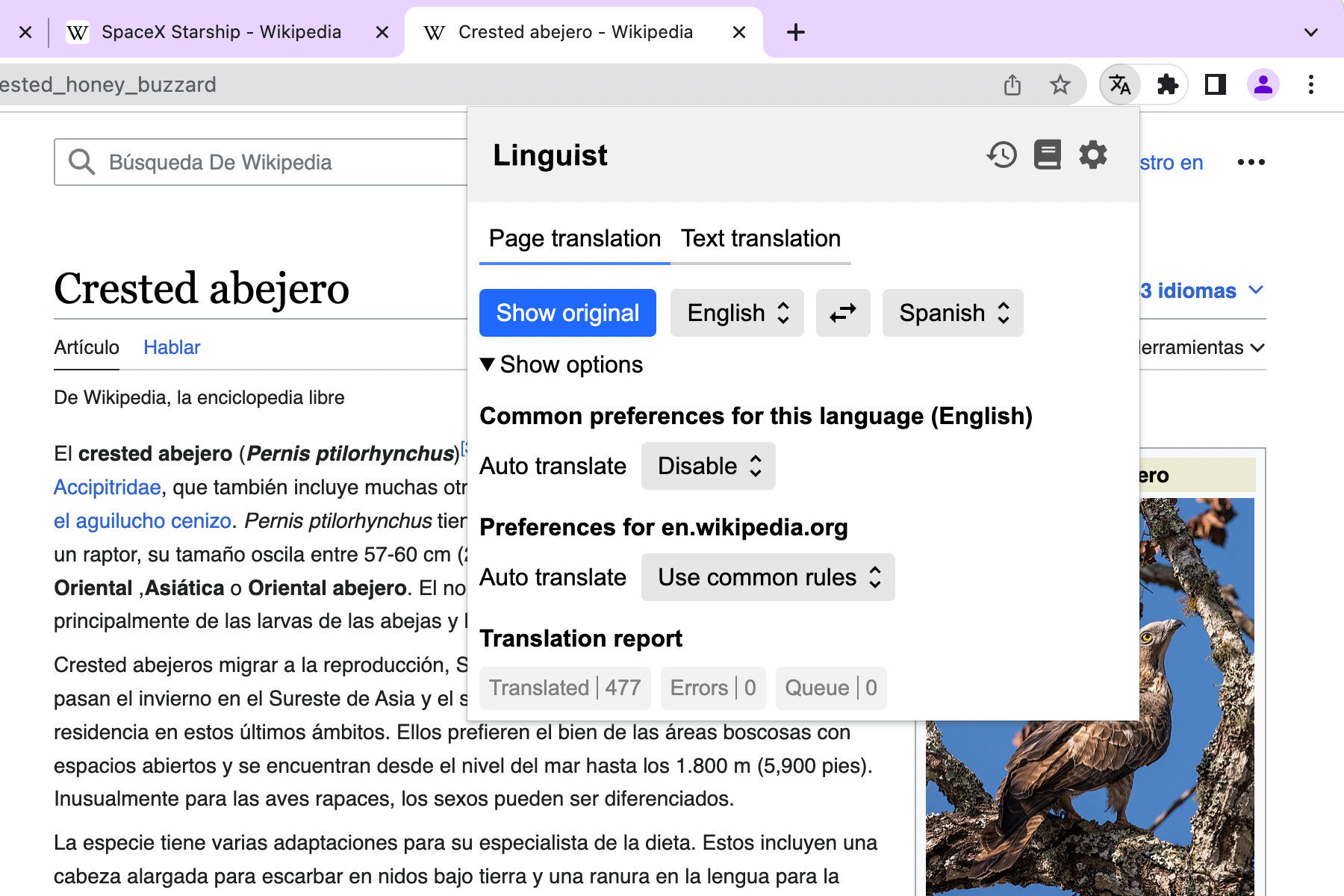
Fast, high‑quality full‑page translation in just a few clicks.
Use a hotkey to translate instantly. Hover over translated text to see the original. Translate even private pages behind login forms or paywalls.
Set up automatic translation rules based on page language or domain.
Linguist follows a minimal page‑modification approach: it changes only text nodes and preserves the page layout and user experience.
Enable real‑time translation for cross‑language meetings on Zoom, Google Meet, and Microsoft Teams.
Translate selected text on any website
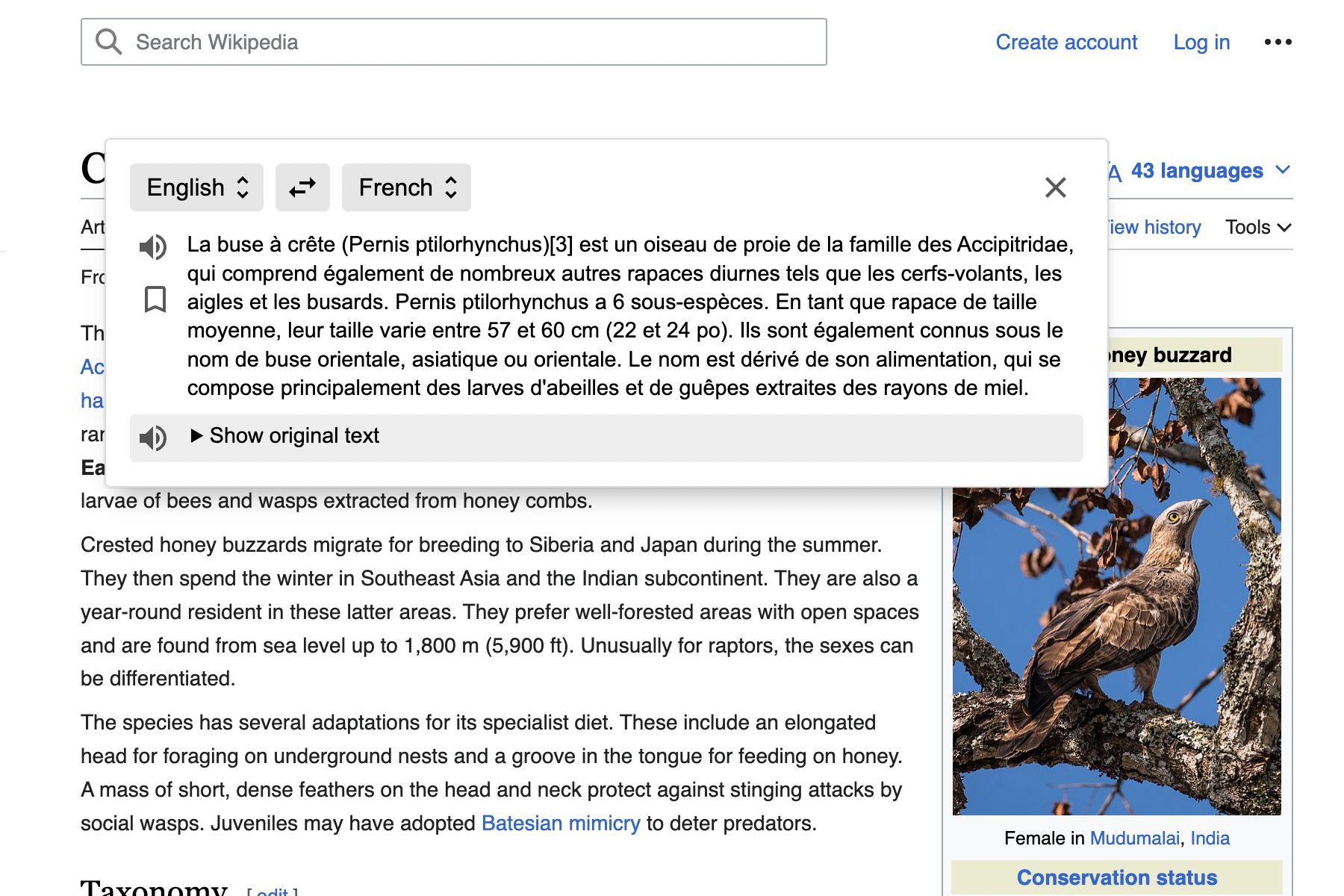
Encounter unfamiliar words while reading an online article?
Simply select text on the page and click the translate button.
Listen to both the original and translated text, and save translations to your dictionary to review later.
Quick text translation
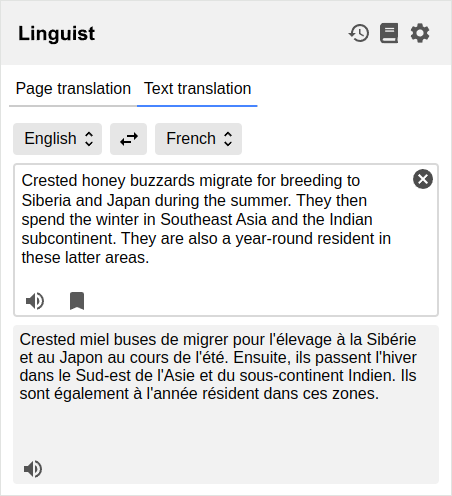
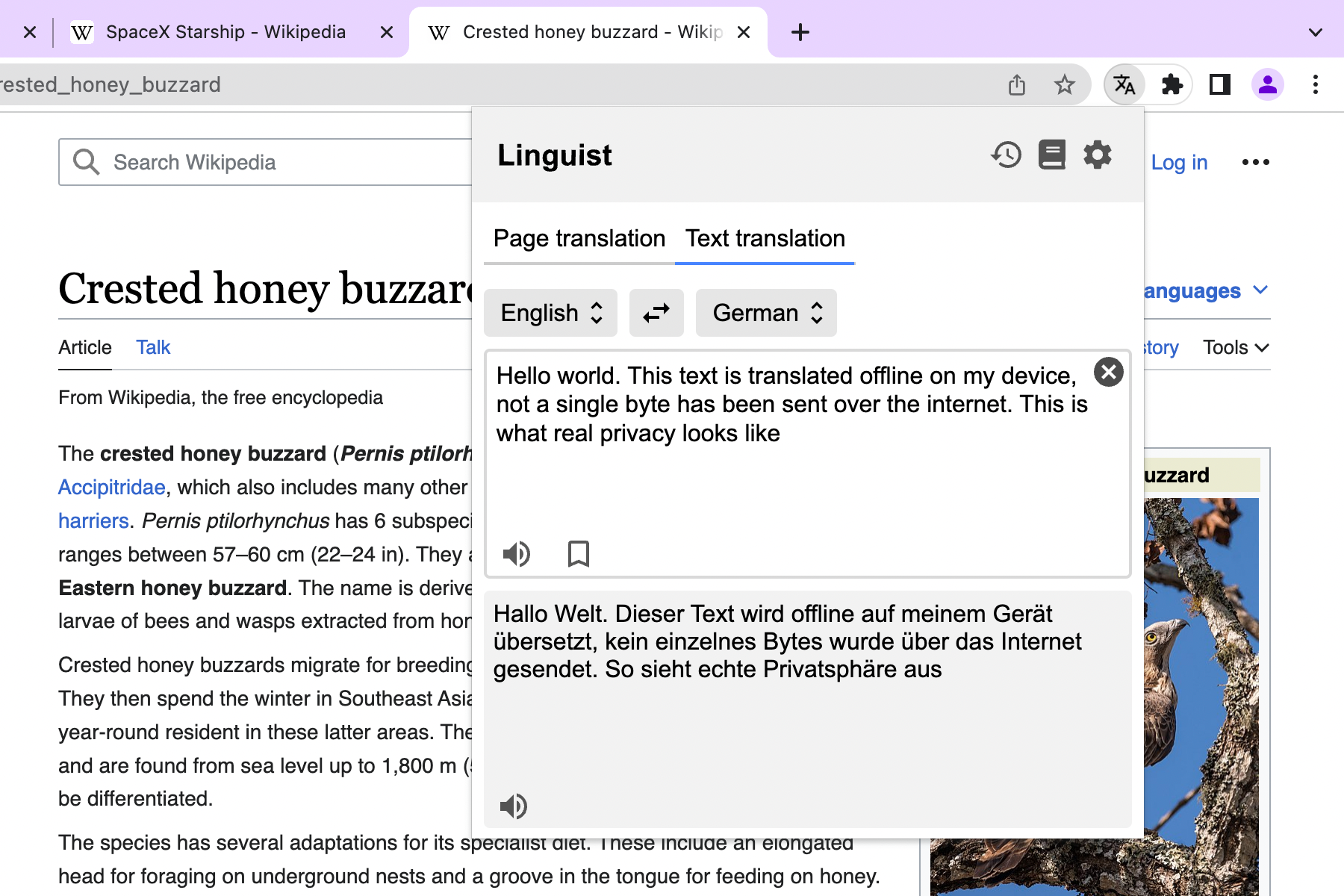
Need to translate something quickly? Click the Linguist icon and enter your text.
No need to switch between tabs or open translation websites. Translate directly in your browser using the service you prefer.
Build your personal knowledge base
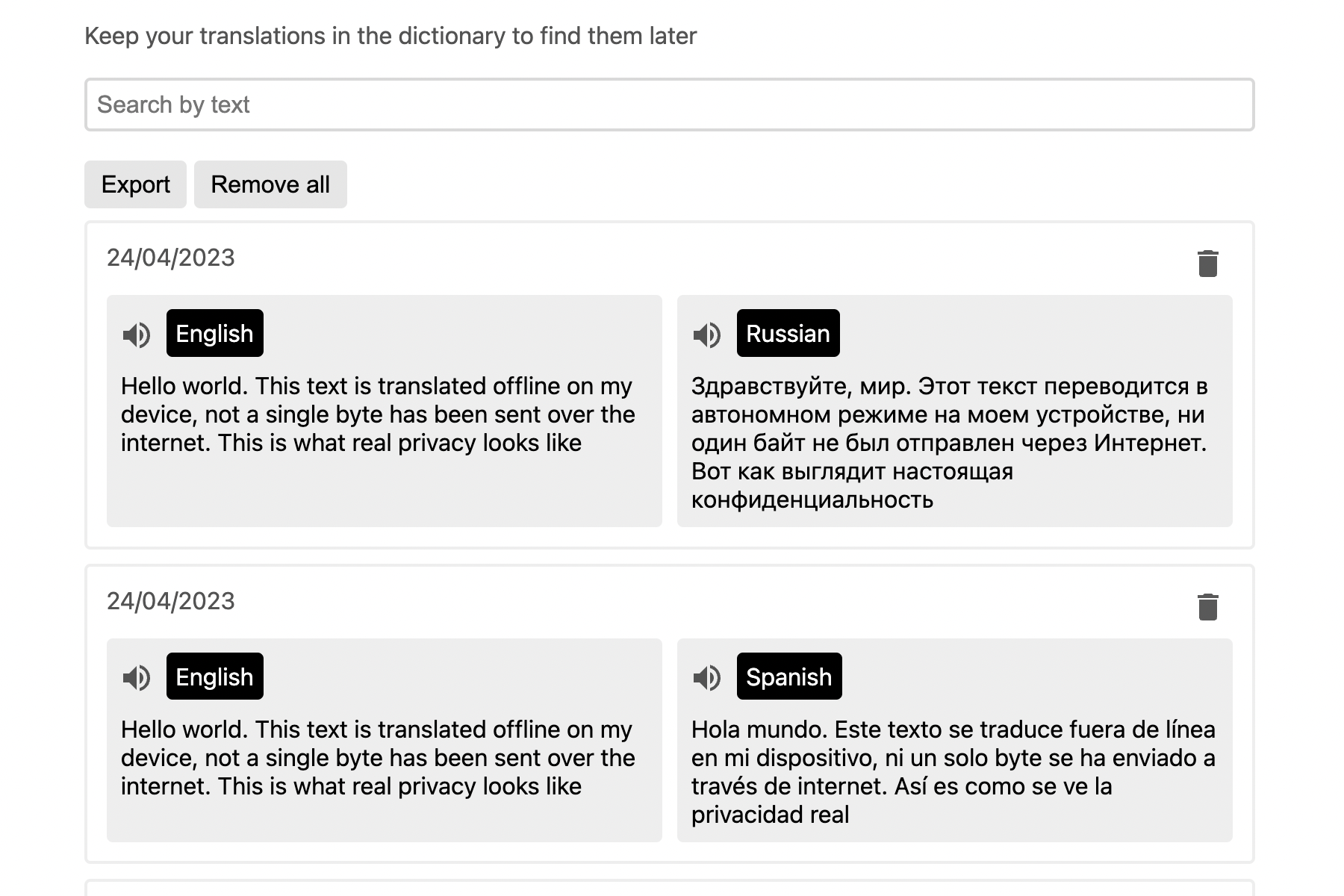
Every translation is saved in your history, and you can add important entries to your personal dictionary. Search your dictionary and translation history anytime.
Nothing is lost, even during long research or learning sessions.
The dictionary works offline, making Linguist ideal for language learners and travelers who need constant access to their word lists.
Integrate Translation Services and APIs
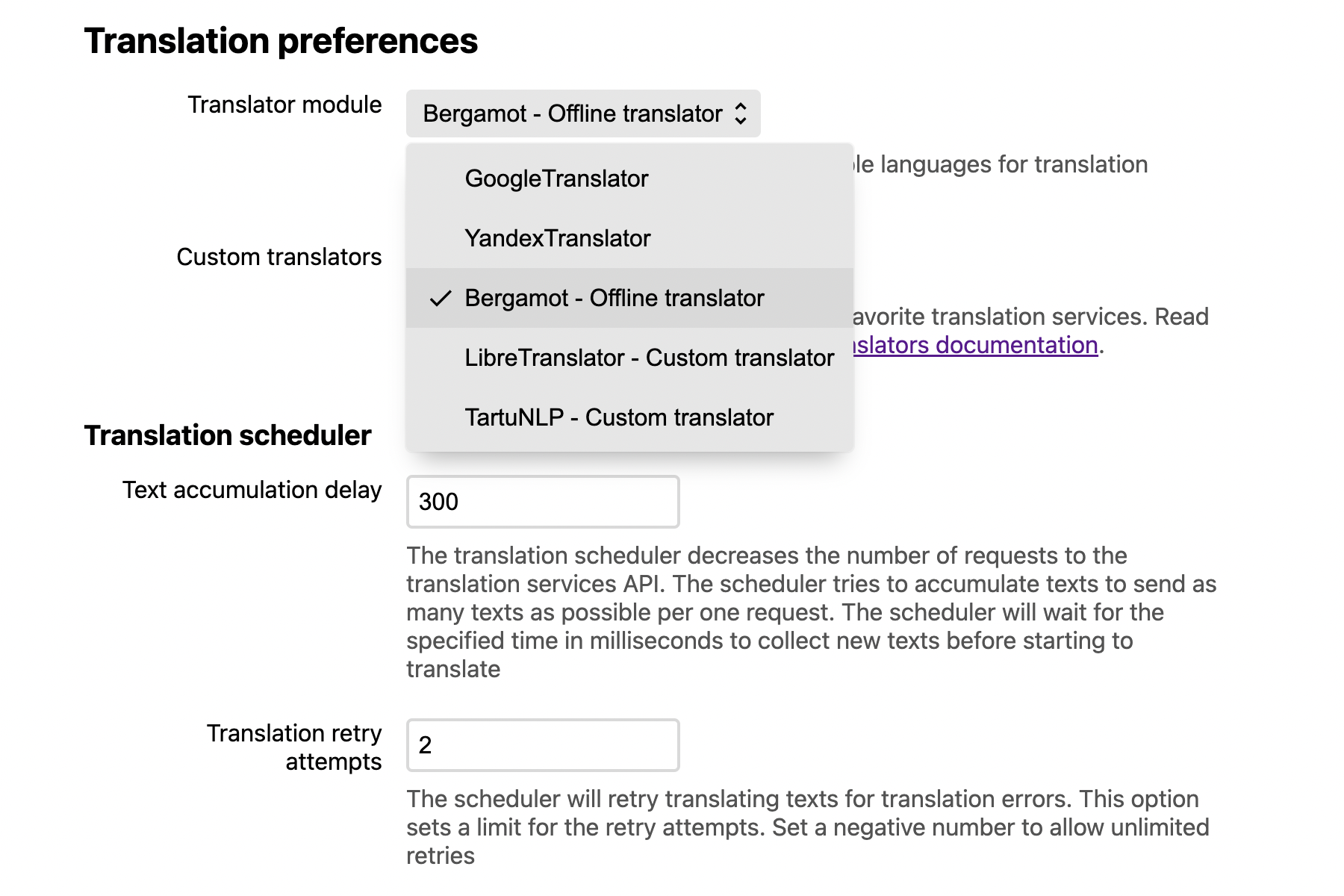
Linguist lets you choose which translation service to use.
It supports popular translation providers such as Google, Yandex, and Microsoft, with more than 100 languages available.
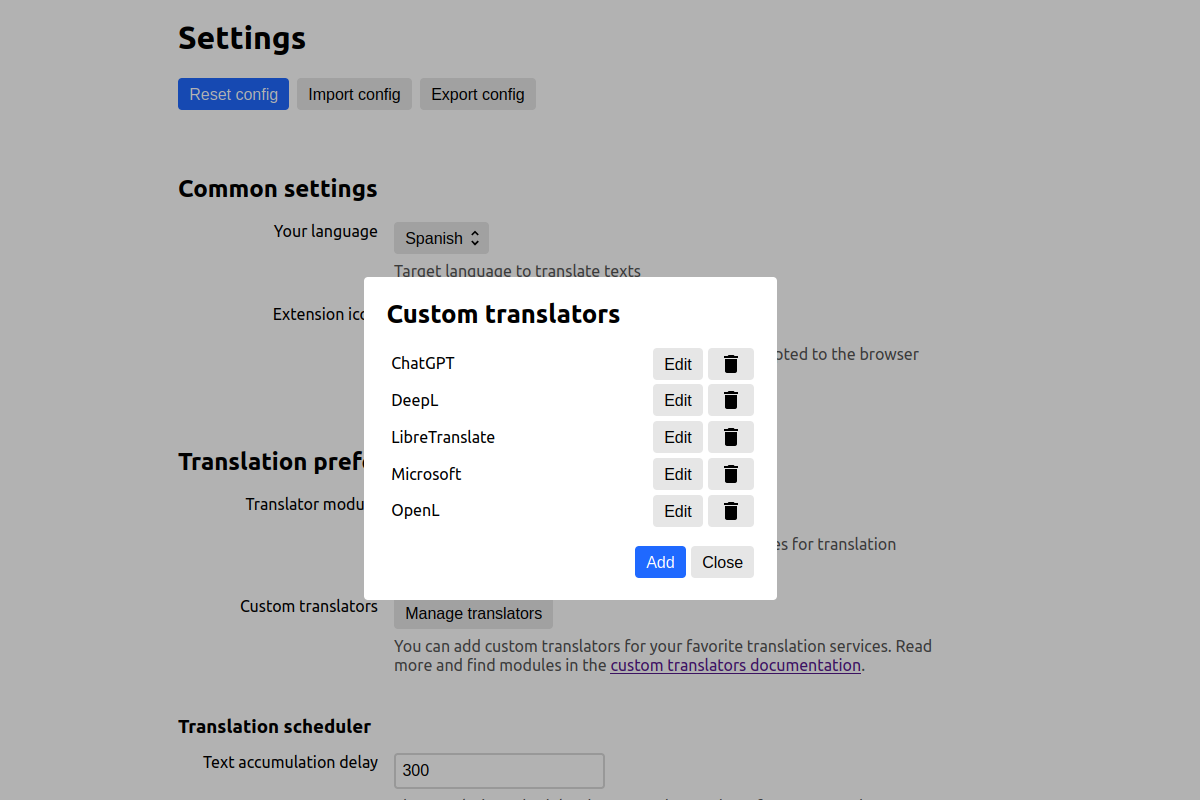
If a service you need is not included, you can add it as a custom translator.
Custom translators allow you to integrate any translation system — from modern LLM services such as ChatGPT, DeepL, DeepSeek, and Gemini to local translators running on your device, such as Ollama or LibreTranslate.
Open source
Linguist is a free and open‑source browser translation extension. It does not collect or sell user data.
You can donate to support Linguist and help us maintain independence and high quality.
Share Linguist on social media to help others discover it.
Support
If you have questions, contact us support@linguister.io.
If you found a bug and have a GitHub account, please create an issue.
FAQ

العربية | български | বাংলা | català | čeština | dansk | Deutsch | Ελληνικά | English | español | فارسی | suomi | français | ગુજરાતી | עברית | हिन्दी | magyar | Indonesia | italiano | 日本語 | Jawa | ქართული | 한국어 | मराठी | norsk bokmål | Nederlands | ਪੰਜਾਬੀ | polski | português (Brasil) | português europeu | română | русский | slovenščina | српски | svenska | தமிழ் | తెలుగు | ไทย | Türkçe | українська | اردو | Tiếng Việt | 中文(中国) | 中文(台灣)